Current Location: Blog >
Singapore CN2
1.
overview and preparation
• goal: deploy shadowsocks(ss) on a vps routed by singapore cn2 and configure the connection in common clients.• prerequisite: you have purchased a vps that supports cn2 (1gbps bandwidth and fixed public ip recommended).
• system: the example uses ubuntu 20.04 lts, 1 vcpu/1gb ram, traffic billing or annual subscription are available.
• ports and security: have ssh(22) and shadowsocks ports ready (example 8388), and plan firewall rules and fail2ban.
• backup and monitoring: it is recommended to enable snapshots and use prometheus/grafana or simple scripts to monitor bandwidth and connection numbers.
2.
server procurement and basic network configuration
• purchasing advice: choose a computer room that supports cn2 (for example, some singapore operators can use cn2 for backhaul), and the bandwidth is 500mbps-1gbps, which is better.• network information example: ip: 203.0.113.45 (example reserved address), public network bandwidth: 1gbps, downlink peak value up to 900mbps.
• system initialization: apt update && apt upgrade; create a non-root administrator user and disable password login using only keys.
• firewall: ufw allow 22/tcp; ufw allow 8388/tcp; ufw enable; it is also recommended to limit ssh to only management ip.
• ddos prevention: if there is a high risk, you can first enable cloud cdn/protection or apply for a traffic cleaning strategy from the provider.
3.
shadowsocks server installation and configuration (sample data)
• installation: shadowsocks-libev is recommended. example command: apt install shadowsocks-libev -y.• configuration file /etc/shadowsocks-libev/config.json (example):
 {
  "server":"0.0.0.0",
  "server_port":8388,
  "password":"s3cur3p@ssw0rd",
  "method":"chacha20-ietf-poly1305",
  "timeout":300,
  "fast_open":true,
  "nameserver":"8.8.8.8"
}
• startup and auto-start: systemctl enable --now shadowsocks-libev.service; check netstat -tunlp to confirm 8388 monitoring.• performance optimization: enable tcp fast open, adjust sysctl (net.core.somaxconn=1024, net.ipv4.tcp_tw_reuse=1, etc.).
4.
common client configuration steps (windows/android/ios/linux)
• windows (shadowsocks-windows): create a new server, enter the server ip 203.0.113.45, port 8388, password s3cur3p@ssw0rd, encryption method chacha20-ietf-poly1305, and start the system agent or pac.• android (shadowsocks-android): configuration is the same as above, check "udp forwarding" if necessary, or use plug-ins such as v2ray-plugin to enhance obfuscation.
• ios (shadowrocket or potatso): import the configuration or fill it in manually. it is recommended to enable tcp fast open and routing rule diversion (only proxy specific domain names).
• linux (shadowsocks-qt5/ss-local): edit the client configuration, run ss-local -c client.json and set the local proxy port.
• plugins and obfuscation: if you need to avoid dpi, you can enable v2ray-plugin or simple-obfs (example plug-in parameters: --plugin v2ray-plugin --plugin-opts "server;path=/ss").
5.
performance testing and real case data
• actual test environment: vps (singapore cn2 node, 1gbps), test time: 2025-10-01, test tools: iperf3 and ping.| target city | average rtt(ms) | download peak(mbps) | remark |
|---|---|---|---|
| beijing | 45 | 420 | cn2 return good |
| shanghai | 40 | 460 | stablize |
| guangzhou | 42 | 430 | slight jitter |
• case description: a customer can still maintain 400mbps+ stably during peak hours using the above configuration. the encryption method uses chacha20-ietf-poly1305, and there is no obvious cpu bottleneck (cpu utilization under 1 vcpu is often <60%).
6.
security hardening, cdn and ddos defense recommendations
• minimum privileges: close unnecessary ports and open only the shadowsocks port and ssh (the port can be changed and the source ip can be restricted).• fail2ban: set ban rules for failed ssh and ss connections to reduce the risk of brute force cracking.
• cdn usage scenarios: if only http/https services are provided, it is recommended to place them in cdn; shadowsocks itself cannot be placed directly in cdn, but it can disguise the obfuscated traffic as https and combine it with cloud cleaning.
• ddos response: purchase a bandwidth package with cleaning or sign a cleaning sla with the computer room; set traffic threshold alarms and automatic speed limits.
• logs and auditing: regularly check /var/log/syslog and ss logs, set bandwidth and connection thresholds, and expand or adjust routing policies if necessary.

- Latest articles
- Popular tags
Hong Kong Server
Fault Recovery
Bitcoin Payment
Storage
Business Requirements
Server Configuration
Speed Testing Methods
Limitations
Sysbench
Small And Medium-sized Enterprises
Overseas Vps
Cs2 Server
Promotion Strategies
Singapore Vps Vouchers
Viewing Delay
E-commerce Holiday Preparations
Icp Registration
Cn2 Line
Domestic Users
International Hosting
Xsx Singapore Server
Iplc
Technical Whitepaper: Slow Servers In Singapore
Domain Name Dns Test
Website Speed
Singapore Server Cn2
Related Articles
-

Advantages Of Cn2 Ip In Singapore And How To Choose The Best Service Provider
learn about the benefits of cn2 ip singapore and how to choose the best service provider to provide solutions for your network needs. -
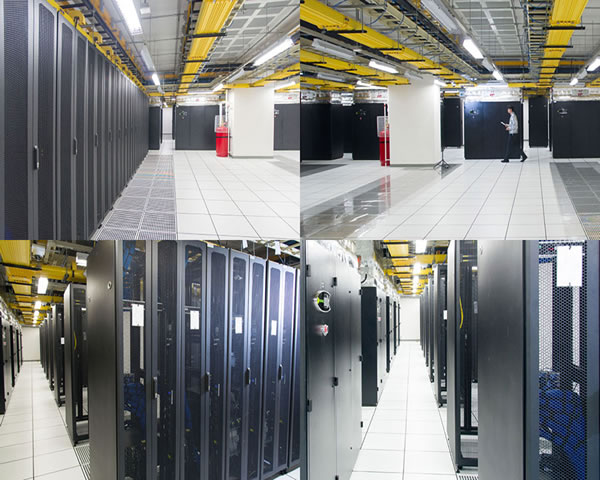
How To Deploy A Hybrid Cloud Environment In CN2 Singapore Data Center To Ensure Network Stability
A practical guide for operations and network engineers, step-by-step explaining the network design, connection methods, redundancy configurations, traffic optimization, and monitoring for deploying hybrid clouds in the CN2 data center in Singapore. It includes configuration examples and key points for troubleshooting to help ensure network stability. -

Service And Guarantee Analysis Of Cn2 Hosting Computer Room In Singapore
this article analyzes in detail the services and guarantees of singapore's cn2 hosting computer room, including service content, advantages, stability and security.